
Short version:
- A managed IT services engagement typically starts with a network and security assessment, then moves to ongoing monitoring, help desk support, and scheduled maintenance.
- Providers commonly bill through flat monthly plans or block-hour arrangements rather than one-off repair calls.
- Expect regular reporting, defined response times, and a documented plan for backups and disaster recovery.
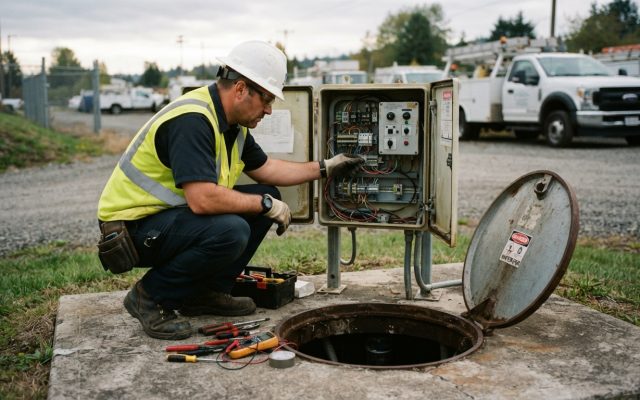
Partnering with a provider of Managed IT Services Eugene OR generally means shifting from reactive computer repairs to continuous monitoring, planned maintenance, and a single point of contact for network and security issues. Businesses in Eugene, OR that rely on daily uptime for email, point-of-sale systems, or client records often adopt this model to reduce unplanned downtime rather than waiting for something to break before calling for help.
The transition period usually involves an audit of existing hardware, software licenses, and network configuration before any new monitoring tools are installed. This initial review establishes a baseline so the provider can spot unusual activity or aging equipment before it causes an outage.
The Onboarding Process
Most engagements begin with a structured intake rather than an immediate service start date.
- Network and asset inventory: cataloging servers, workstations, firewalls, and connected devices.
- Security baseline review: checking patch levels, password policies, and existing backup routines.
- Service agreement setup: defining response times, covered systems, and escalation paths.
This phase typically takes one to a few weeks depending on the size of the network. Organizations should expect some scheduled downtime during the initial setup as monitoring agents and security tools are deployed across devices.
Ongoing Support Models
Providers generally offer a few different ways to structure day-to-day support, and understanding the differences helps set realistic expectations for cost and coverage.
| Support Model | How It Works | Best Fit |
| Flat-rate managed plan | Fixed monthly fee covers monitoring, help desk, and maintenance | Businesses wanting predictable IT budgeting |
| Block hours | Pre-purchased hours used for remote or on-call support | Organizations with lighter, variable IT needs |
| Break-fix | Billed per incident after work is completed | Businesses needing occasional repairs only |
A flat-rate model typically bundles proactive monitoring with help desk access, while block-hour arrangements apply purchased time toward both preventive maintenance and reactive support requests. Break-fix billing remains available for organizations that prefer to pay only when a specific issue arises, though it does not include the ongoing monitoring found in managed plans.
What Day-to-Day Service Looks Like
Once onboarding is complete, support typically settles into a predictable rhythm built around monitoring, maintenance windows, and a defined escalation path for urgent issues.
- Remote monitoring of servers, firewalls, and endpoints to flag anomalies before they become outages.
- Scheduled patching and updates performed outside business hours when possible.
- Help desk tickets for day-to-day issues, usually tracked with response-time targets.
- Periodic reporting summarizing uptime, tickets resolved, and security events.
Security services often sit at the center of this relationship. According to CISA’s cybersecurity guidance for small and medium businesses, organizations are encouraged to maintain strong password policies, multifactor authentication, and regular software updates as baseline protections against common threats. A managed provider typically builds these practices into routine maintenance rather than treating them as a separate project.
Backup and disaster recovery planning is another recurring element, since restoring data quickly after an outage or security incident depends on tested backup routines rather than assumptions about what was saved.
Choosing a Provider for a Local Business
Businesses evaluating a managed services partner should confirm how response times are measured, whether after-hours support is included, and how security incidents are reported back to leadership. Asking for a sample monthly report before signing an agreement can clarify what ongoing visibility will actually look like.
Based in USA, Alpha IT serves customers across Eugene, OR, offering technical support, network and security management, and related IT services for area businesses. Details on current offerings can be reviewed through Alpha IT.
Frequently Asked Questions
How long does onboarding usually take? Setup timelines vary by network size, but most initial assessments and tool deployments are completed within one to a few weeks before full monitoring begins.
Is managed IT support only for larger companies? No. Flat-rate and block-hour plans are structured for small and mid-size organizations that want predictable costs without an in-house IT department.
What happens if a security incident occurs? A documented incident response plan, including who to contact and how systems are isolated, is typically part of the service agreement rather than created after an incident starts.
Does managed support replace all in-house IT staff? Not necessarily. Many organizations use managed services to supplement internal staff, particularly for after-hours monitoring and specialized security tasks.
Learn More About Local IT Support
Current service area information for Alpha IT is published for businesses considering a managed support arrangement. Readers can review this listing alongside the onboarding and support details outlined above to compare options for their organization’s IT needs.